Autopsy analysis of NIST CFReDS Hacking Case forensic image
At a glance
- Tool: Autopsy (open source forensic platform for disk and artifact review).
- Image: NIST CFReDS Hacking Case public Windows forensic image, official case page.
- Objective: Identify who used the machine, what tools were present, whether they were used, and what activity suggests about intent.
- Outcome: Primary user mr. evil; desktop tool shortcuts (e.g. Cain, Ethereal, Network Stumbler); Recent folder evidence of use; web history consistent with wardriving and hacking related research, documented end to end in Autopsy.
Overview
This project is a digital forensics investigation using Autopsy (a free, open source forensic tool). I analyzed the NIST CFReDS “Hacking Case” forensic image (NIST Hacking Case). The case describes a laptop found with a wireless card and a homemade 802.11b antenna, which points toward possible wireless hacking or wardriving. My goal was simple: figure out who used the device, what tools were on it, whether those tools were used, and what the web activity says about intent.

Approach
I started with the case description, then worked through the evidence in a practical order. First I identified the main user account. Then I looked at the suspect’s desktop and user folders for tools. After that I checked recent activity to see what had been opened. Finally I reviewed browser history to understand intent.
Findings
Suspect identification
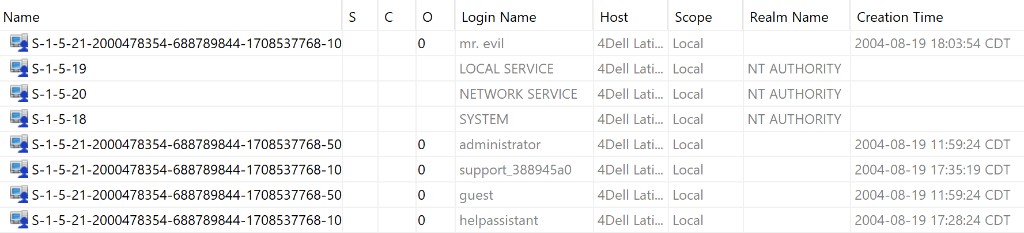
I first checked OS Accounts to see who used the computer. Besides the default Windows accounts (like Administrator and Guest), there was one custom user: “mr. evil”. Since it was the only real user account, that’s the account I tied the rest of the evidence to.
Evidence on the Desktop
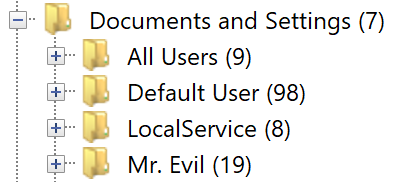
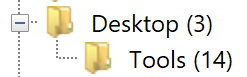
Next I looked at mr. evil’s files. On his Desktop he had a “tools” folder full of Windows shortcuts (.lnk files). Those shortcuts pointed to:
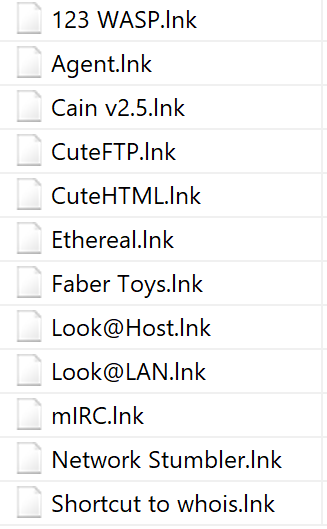
- Cain v2.5: password cracking and network sniffing
- Ethereal (Wireshark): captures and analyzes network traffic
- Network Stumbler: finds nearby wireless networks (often used for wardriving)
This showed what tools were present, but I still needed proof they were actually being used. That’s why I checked recent activity and browser history next.
Proof of use
Windows keeps a Recent folder of recently opened files and shortcuts. I checked mr. evil’s Recent folder to see what had actually been opened. I found:

- Anonymizer: software used to hide identity online
- Ghostware: remote monitoring and control software
- keys.lnk: another suspicious shortcut
So it wasn’t just “tools installed.” There was evidence that the tools (and related shortcuts) were being used under the mr. evil profile.
Evidence of intent
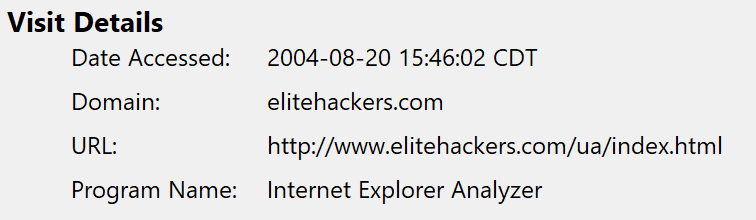
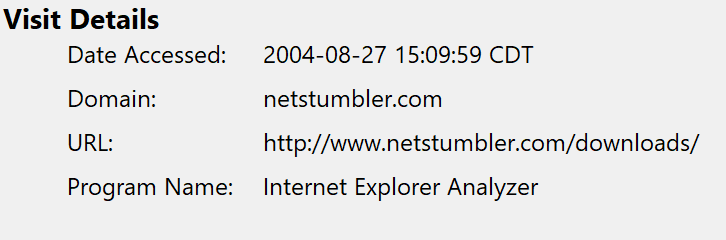
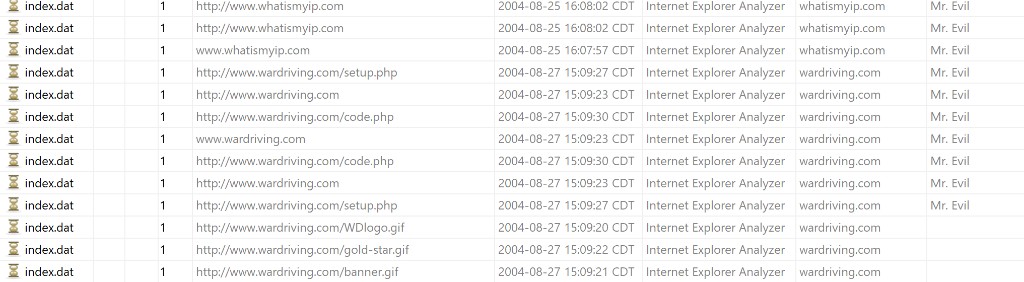
Having tools installed isn’t automatically a crime, so I checked Web History to understand what the user was researching and doing online. The browsing history supported the idea that the tools were being used for hacking related activity:
- elitehackers.com: hacking forum or community activity
- netstumbler.com/downloads: download activity that matched the desktop shortcut
- wardriving.com and whatismyip.com: interest in wardriving and checking IP information
Conclusion
At a high level, the evidence came together in three parts:
- Tools present: shortcuts and programs consistent with hacking and anonymity.
- Signs of use: Recent items showing the tools and shortcuts were opened.
- Intent: browser history that lined up with wardriving and hacking related activity.
The end result is a straightforward narrative: identify the user, show the tools, show they were used, and support intent with web activity.
Case source: NIST CFReDS Hacking Case